Category: Internet
-
Fake Adobe Flash Player – beware
Be careful if you see a page like this offering to install Adobe Flash Video Player for you: A quick check of the address bar reveals that this isn’t Adobe’s website and what it’s trying to install is not Adobe Flash Player. It’s a fake version designed to trick unwary surfers into installing malware on your…
-
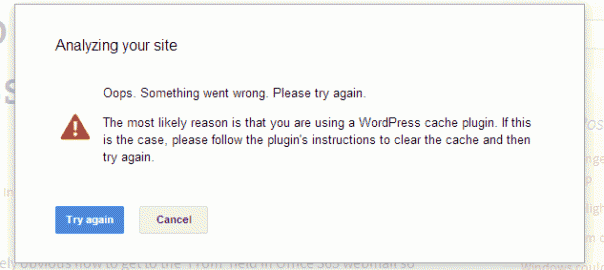
Google Publisher plugin Ooops
If you see this message when trying to manage your ads with the Google Publisher (Adsense) plugin, try disabling your other plugins. By trial and error I discovered that version 1.5.3.3 of the WordPress SEO plugin by Yoast was causing the issue so I disabled it, make the changes I needed to my ads and then…
-
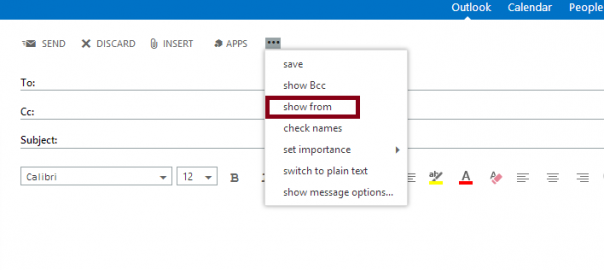
How to change the From address in Office 365 web app
It may not be immediately obvious how to get to the ‘From’ field in Office 365 webmail so you can send as another account or distribution group you have access to, but here’s how to do it. Open a new email and, if it’s not there already, add the From field by clicking the…
-
Beware the Instant Adsense plugin – it steals your Adsense revenue!
This was brought to my attention today while looking for a fix to the problem of the Instant Adsense plugin only displaying text adverts. Instant Adsense is a handy plugin which automatically inserts Ads into your posts and pages randomly but it hides a secret bit of code. The author has inserted a section of…
-
Lightbox and Fancybox plugins not working on WordPress site – solved
I’ve installed the Lightbox plugin on a few site without a problem but when I added it recently to a client’s site it did nothing. No errors appear, but when clicking on an image it just opened that image by itself not in a pop-up lightbox. I uninstalled and reinstalled. Nothing. Tried fancybox instead. Nothing.…
-
Sharepoint Central Administration Website Port Number
The default port number for the Sharepoint Central Administration Website is 4721. I struggled to find this bit of information today so I’ve put it here in the hope that it will help someone else (and me when I forget again!)